ALITAX · Bilal Jivraj — Registered Tax Agent 25287564. Original guidance from 10+ years of DASP and tax casework.
4
You accept & sign electronically
Now it is official
When you accept, we send your tax return and super application to sign electronically via Adobe Acrobat Sign. You are formally accepting our terms, and both you and we keep a signed copy.
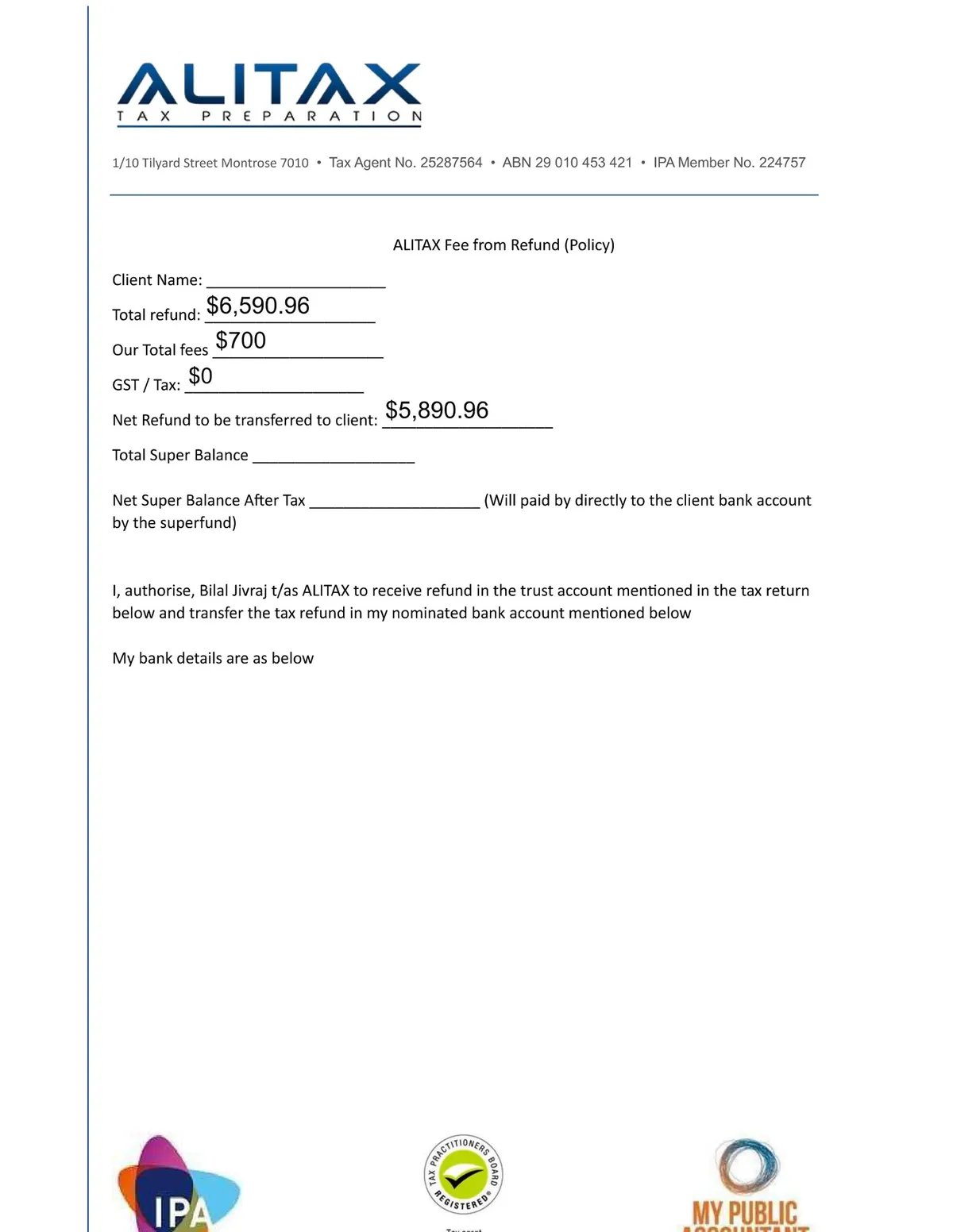
Your client service agreement — total refund $6,590.96, our fee $700, GST $0, and $5,890.96 transferred to you. It authorises us to receive the refund into our trust account and transfer the balance to your nominated account. Everything in writing, signed by you.Our step-by-step signing guide — we walk you through Adobe Acrobat Sign so nothing is confusing.
Watch
▶️
How to sign your documents
A step-by-step walkthrough of signing electronically
Once you sign, you get your own secure client portal. You log in with your TFN and date of birth — never stored in plain text — and a six-digit code emailed to you.
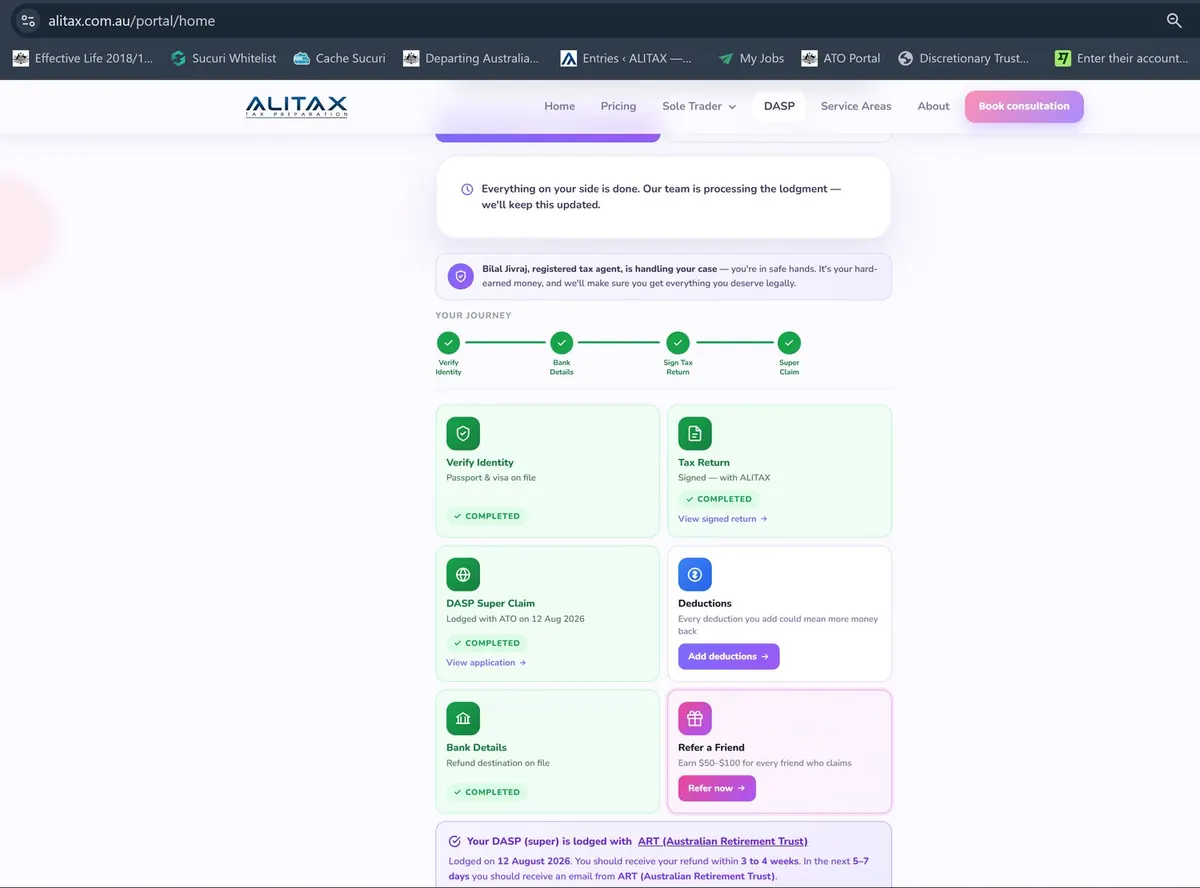
Your portal login. Note the warning we show every client: if you gave your TFN to another agent, tell them to remove you — two agents lodging for the same person creates conflicting claims that delay or block your refund. And never share your TFN and date of birth with anyone offering to “help”.Inside your portal: your whole journey at a glance — identity verified, bank details on file, tax return signed, DASP claim lodged. Plus deductions you can still add, and Refer a Friend to earn $50–$100.